Aim Assist
Reticle Overlay
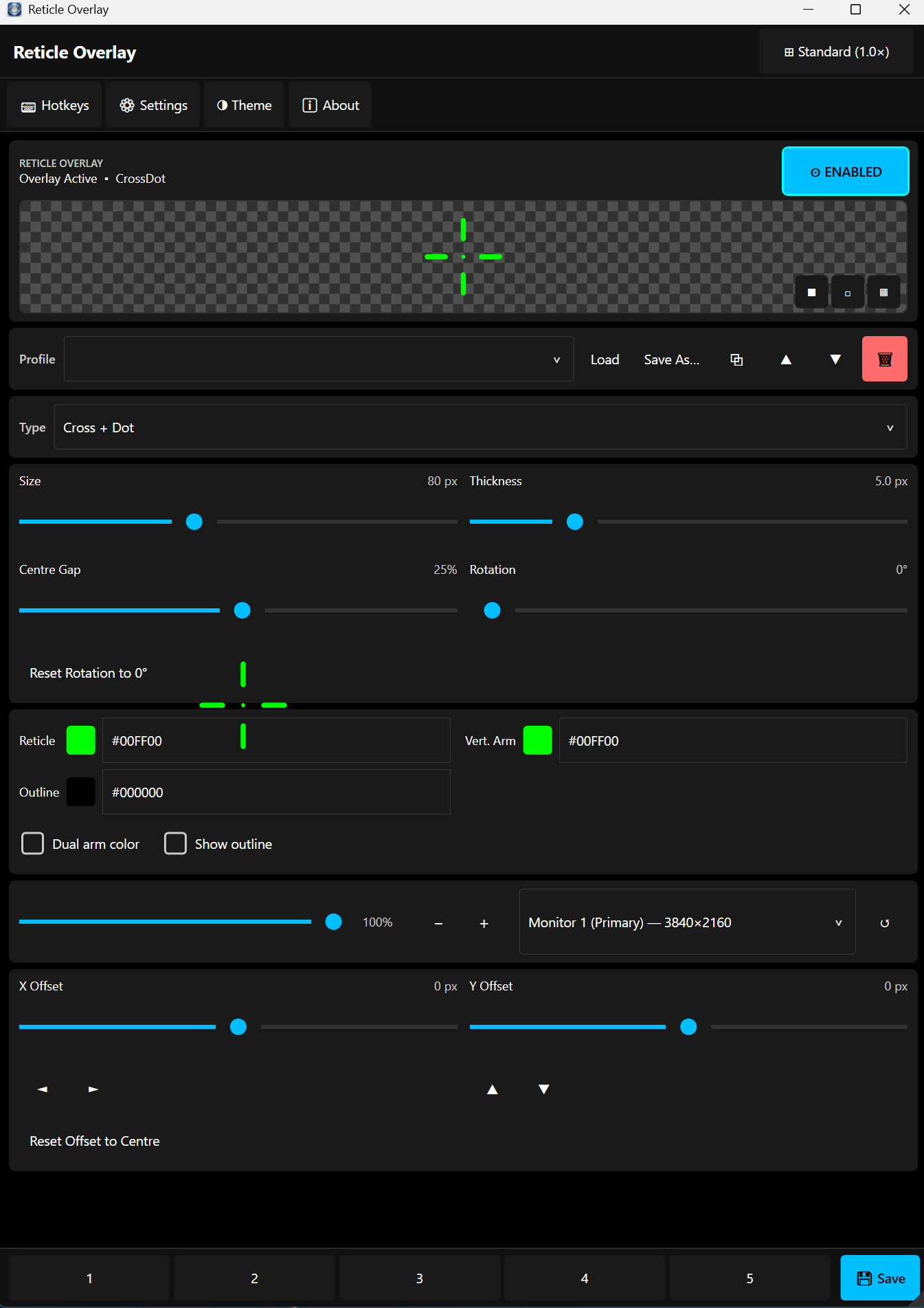
Draw a fully customisable crosshair over any game or application. Choose from multiple reticle types, dial in the exact size, colour, thickness, and opacity — all saved to profiles and toggled with a global hotkey.
Screenshots
See it in action
Main Interface
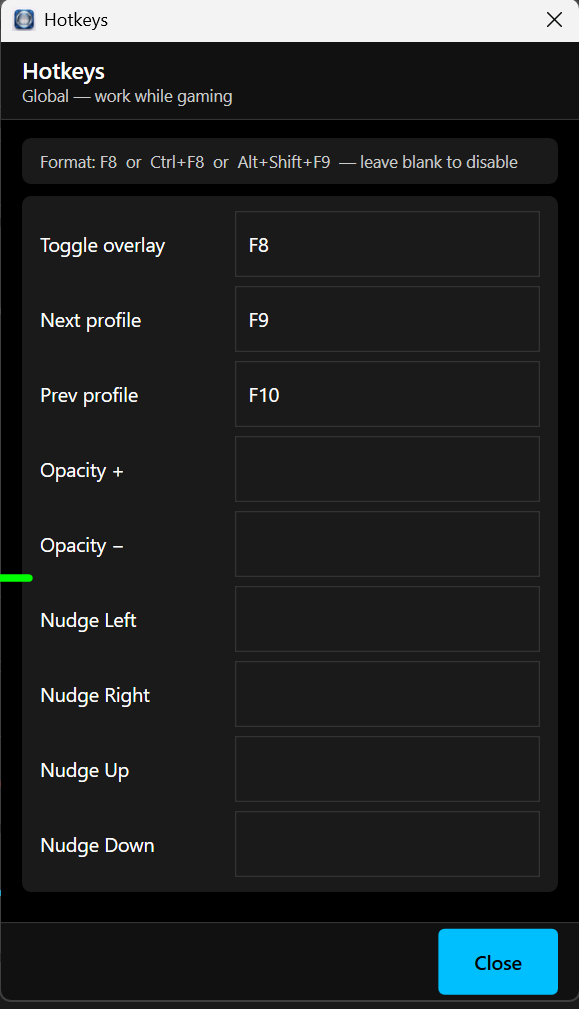
Global Hotkeys
Reticle Types
Many styles to choose from
Cross
Cross + Dot
Dot
Circle
Circle + Cross
Circle + Dot
T-Shape
X-Shape
+ more
Features
Total control over your crosshair
Multiple reticle types
Cross, Dot, Circle, T-shape, X-shape, and combination styles — find the one that suits your game.
Full colour control
Pick any colour for the reticle, vertical arm, and outline independently. Dual-arm colour mode available.
Size, thickness & gap
Adjust overall size, line thickness, centre gap, and rotation to dial in your exact preference.
Multi-monitor support
Choose which monitor to display the overlay on — works with multi-display setups including 4K screens.
5 profiles
Save up to 5 complete reticle configurations. Switch between them instantly with F9/F10 global hotkeys.
X & Y offset
Fine-tune the crosshair position with pixel-level X and Y offset controls — nudge with arrow keys if needed.
Opacity control
Set the overlay opacity from 0–100% — transparent enough to see through, visible enough to aim with.
Global hotkeys
Toggle the overlay on/off with F8, cycle profiles with F9/F10 — all work while gaming, no alt-tab needed.
Keyboard Shortcuts
Global hotkeys — work while gaming
Toggle overlay on/offF8
Next profileF9
Previous profileF10
Opacity +Configurable
Opacity −Configurable
Nudge positionConfigurable
All shortcuts can be customised or disabled in the Hotkeys panel.
Free & Open Source
Download Reticle Overlay
Free forever. No account required.