Utility
Timer Studio
A flexible, always-visible timer overlay for your desktop. Run countdown timers, stopwatches, and date/time countdowns — all in one place, with category organisation, calendar import, and a clean overlay mode.
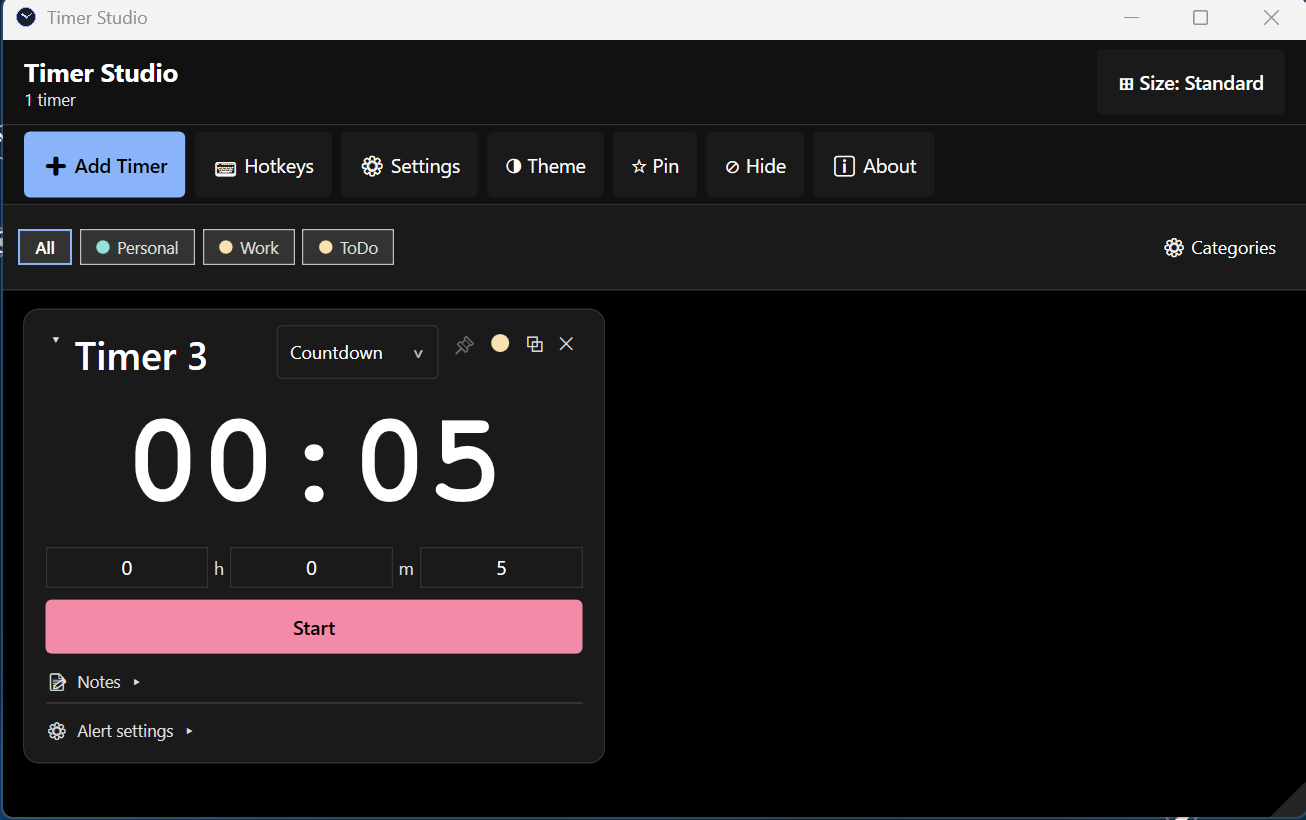
Timer Modes
Three ways to track time
⏱ Countdown
Set hours, minutes, seconds. Fires an alert when it reaches zero — with configurable sound, colour, popup style, and auto-reset.
⏲ Stopwatch
Count up from zero. Great for session tracking, speedrunning, or any timing you want to watch accumulate.
📅 Date / Time
Countdown to a specific date and time — or import events directly from Outlook Calendar or an ICS file.
Screenshots
See it in action
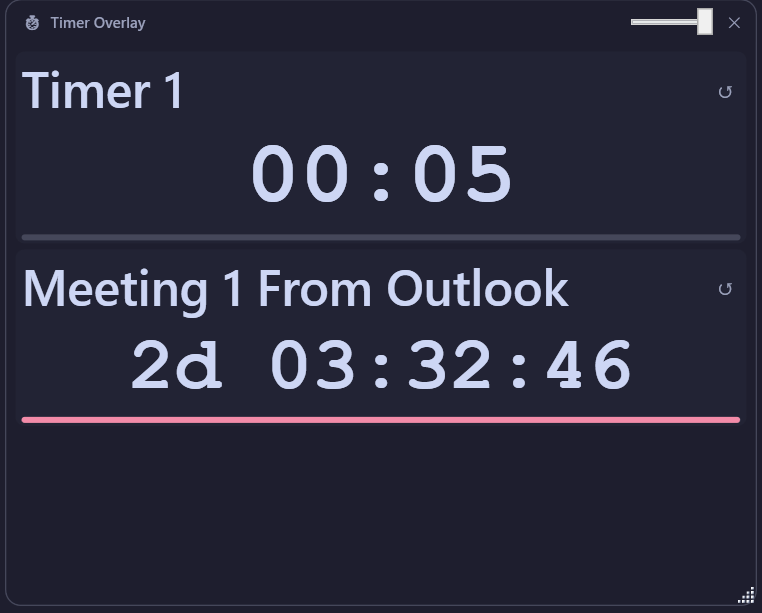
Always-on-top Overlay
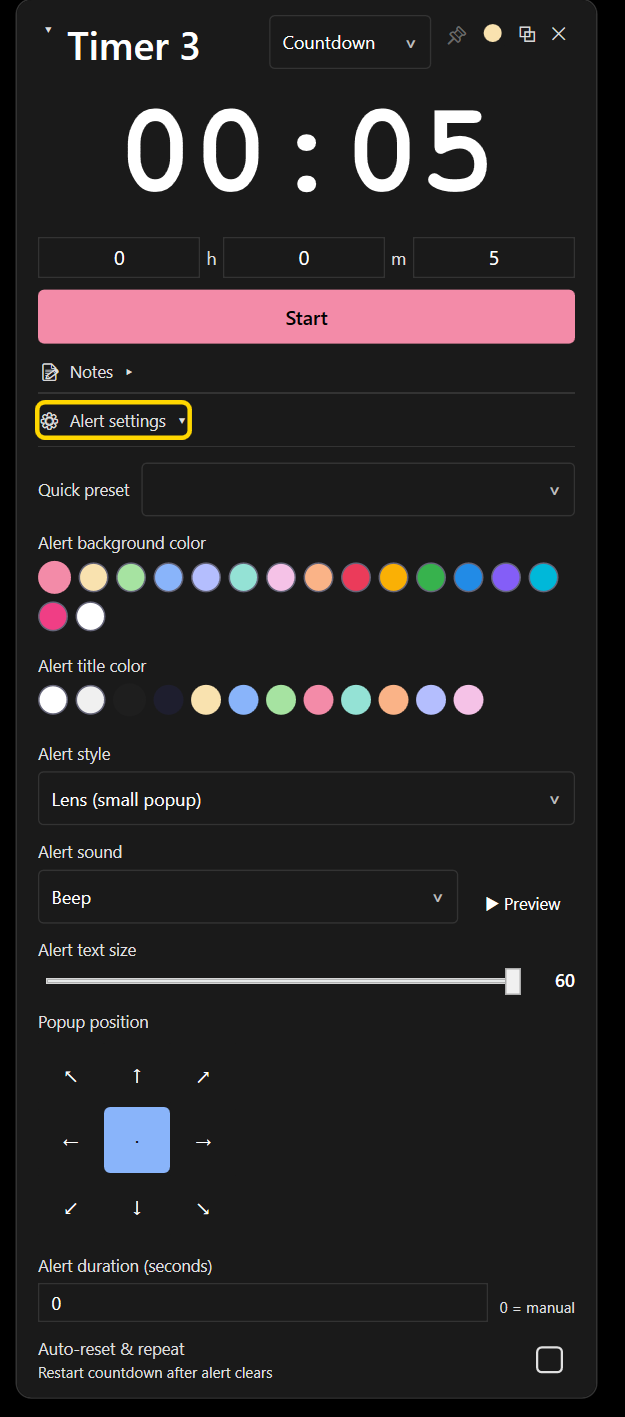
Countdown + Alert Settings
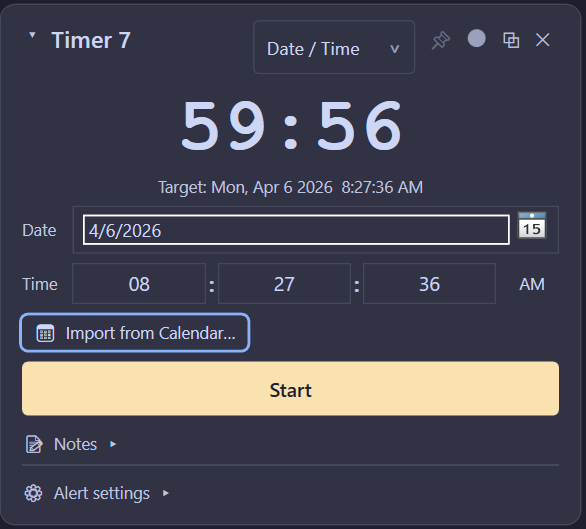
Calendar Import
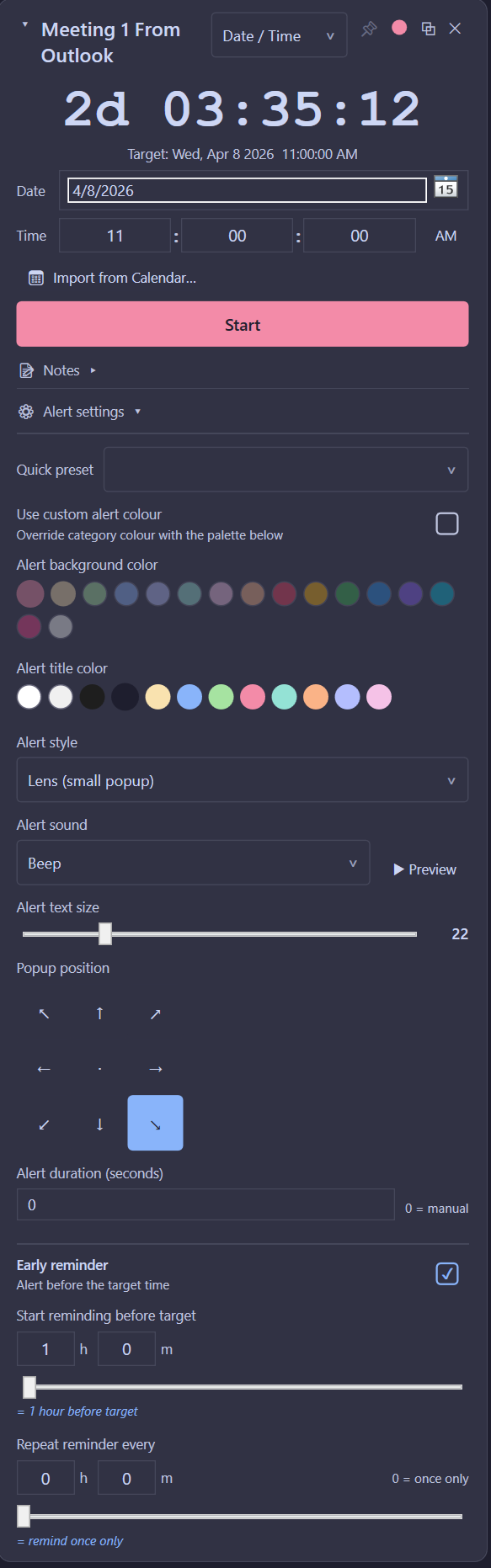
Outlook Meeting Timer
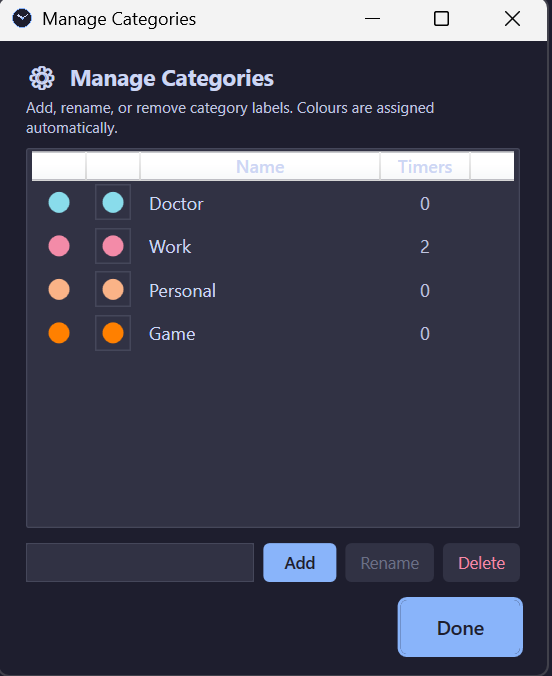
Category Management
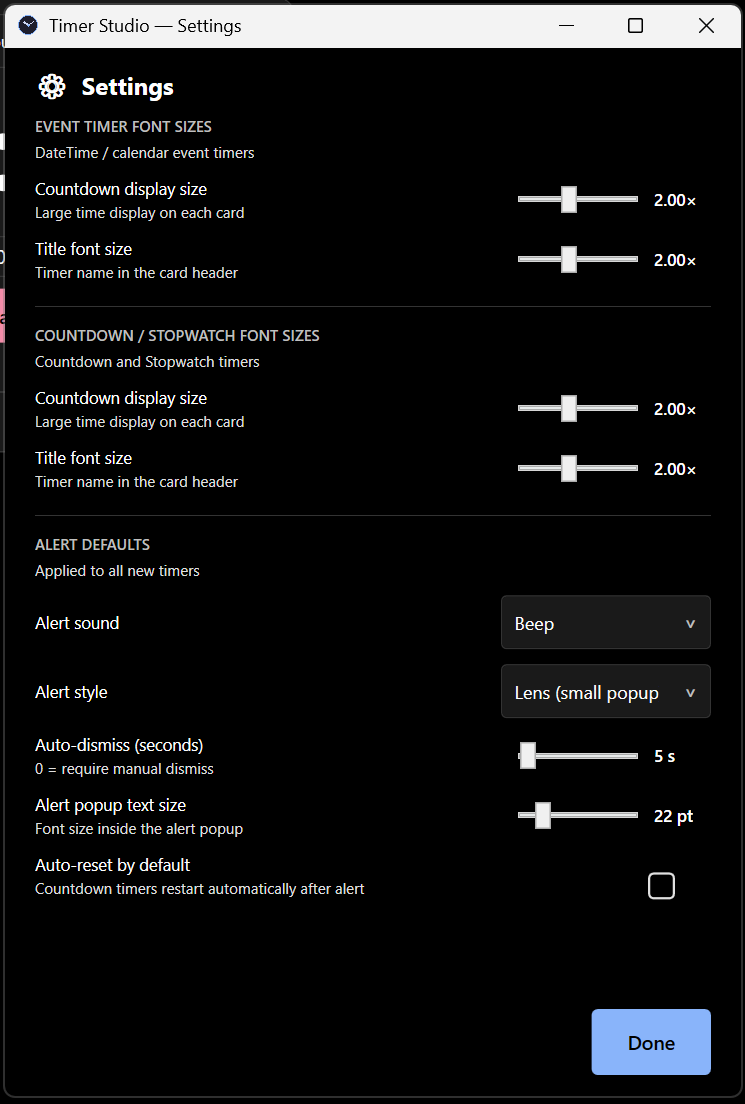
Settings
Features
Built for real-world use
Always-on-top overlay
A compact overlay mode shows your active timers on top of any window — game, browser, or app.
Configurable alerts
Choose alert sound, background and title colour, popup position, font size, duration, and auto-reset per timer.
Calendar import
Pull events straight from Outlook or an ICS file and turn them into countdown timers automatically.
Early reminders
Set a reminder to fire before the target time — hours or minutes in advance — and repeat at custom intervals.
Categories
Organise timers by category — Personal, Work, Game, or any custom label — each auto-assigned a colour.
Quick presets
Save alert configurations as presets and reapply them across timers in one click.
Notes per timer
Attach notes to any timer for context — what the timer is for, what to do when it fires, etc.
Adjustable font sizes
Scale countdown display and title sizes independently — make it as readable as you need.
Keyboard Shortcuts
Key shortcuts at a glance
Add new timerCtrl+N
Open SettingsAlt+S
Toggle ThemeAlt+T
Hide / Show timersAlt+H
Dismiss alertEscape
Commit name editEnter
All shortcuts are remappable in the Hotkeys panel.
Free & Open Source
Download Timer Studio
Free forever. No account required.