Low Vision Tool
SuperMagnifier LV
A powerful screen magnification overlay built specifically for gaming. Zoom into any part of your screen — with smooth follow modes, lens presets, colour filters, and full hotkey control — without ever leaving your game.
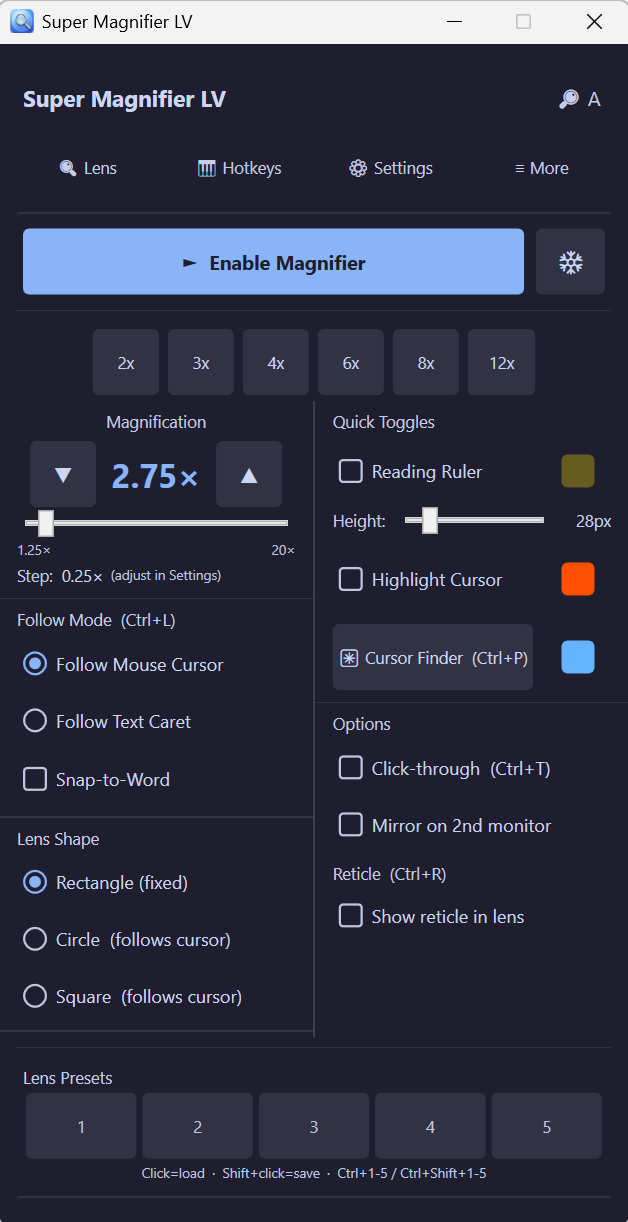
Screenshots
See it in action
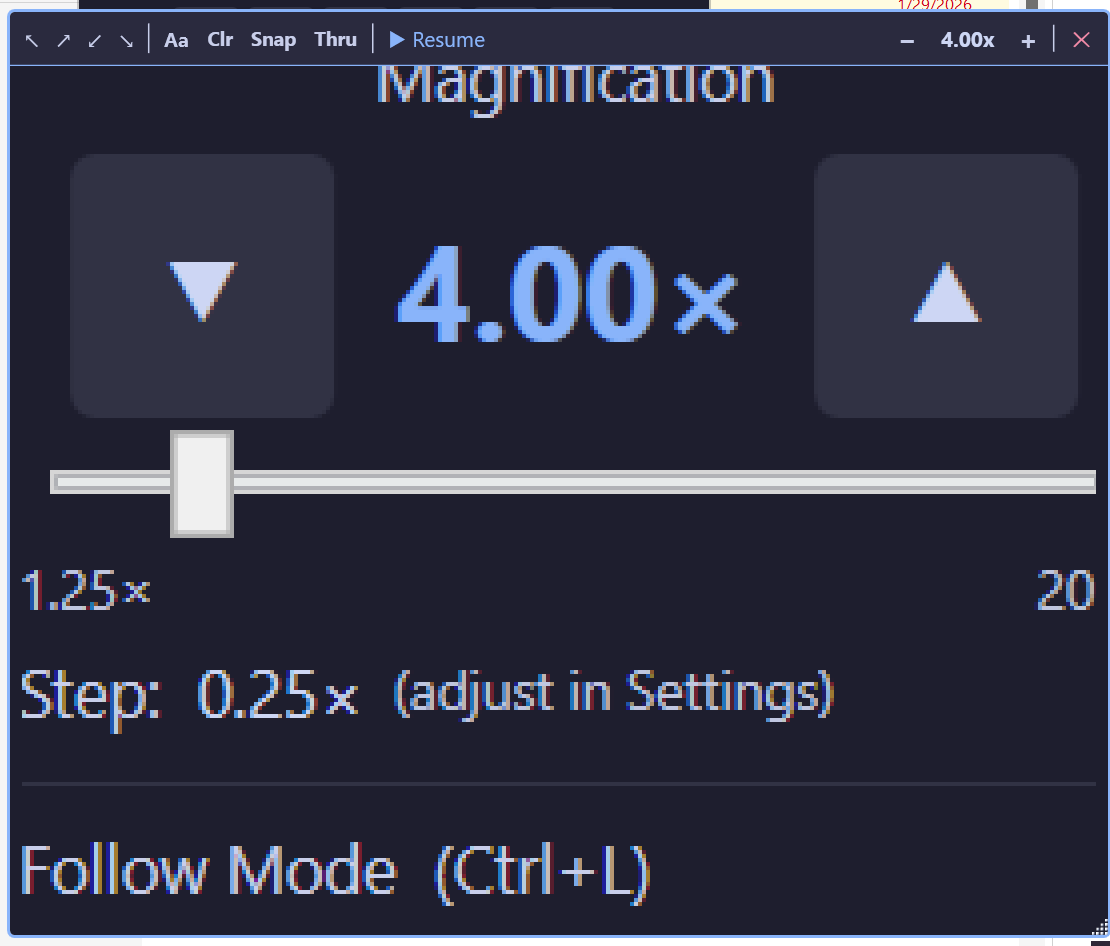
Magnification Control
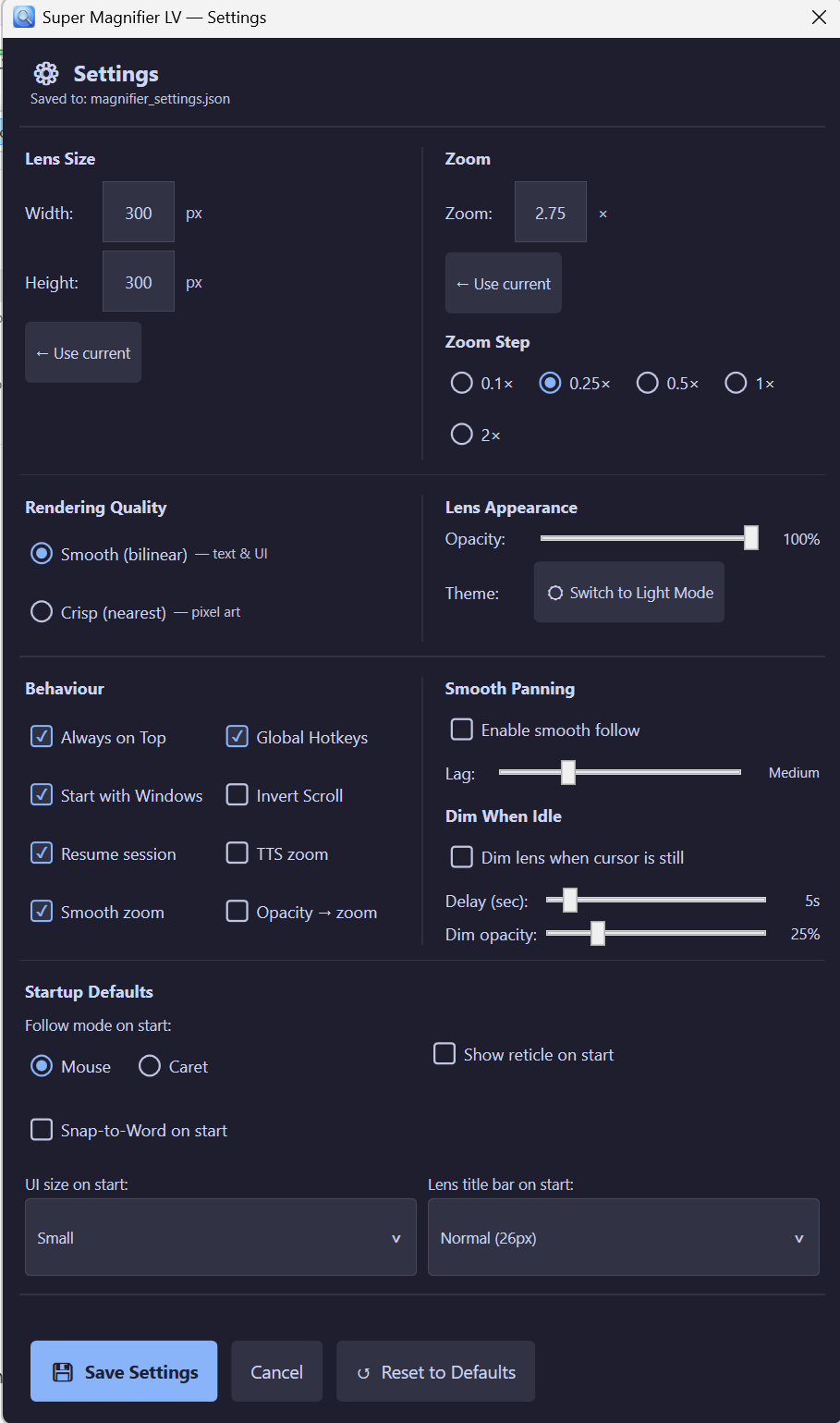
Settings Panel
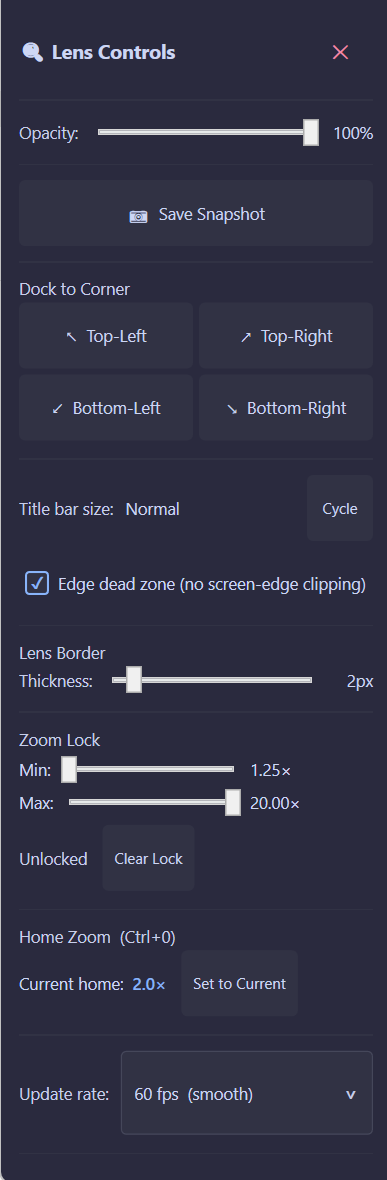
Lens Controls
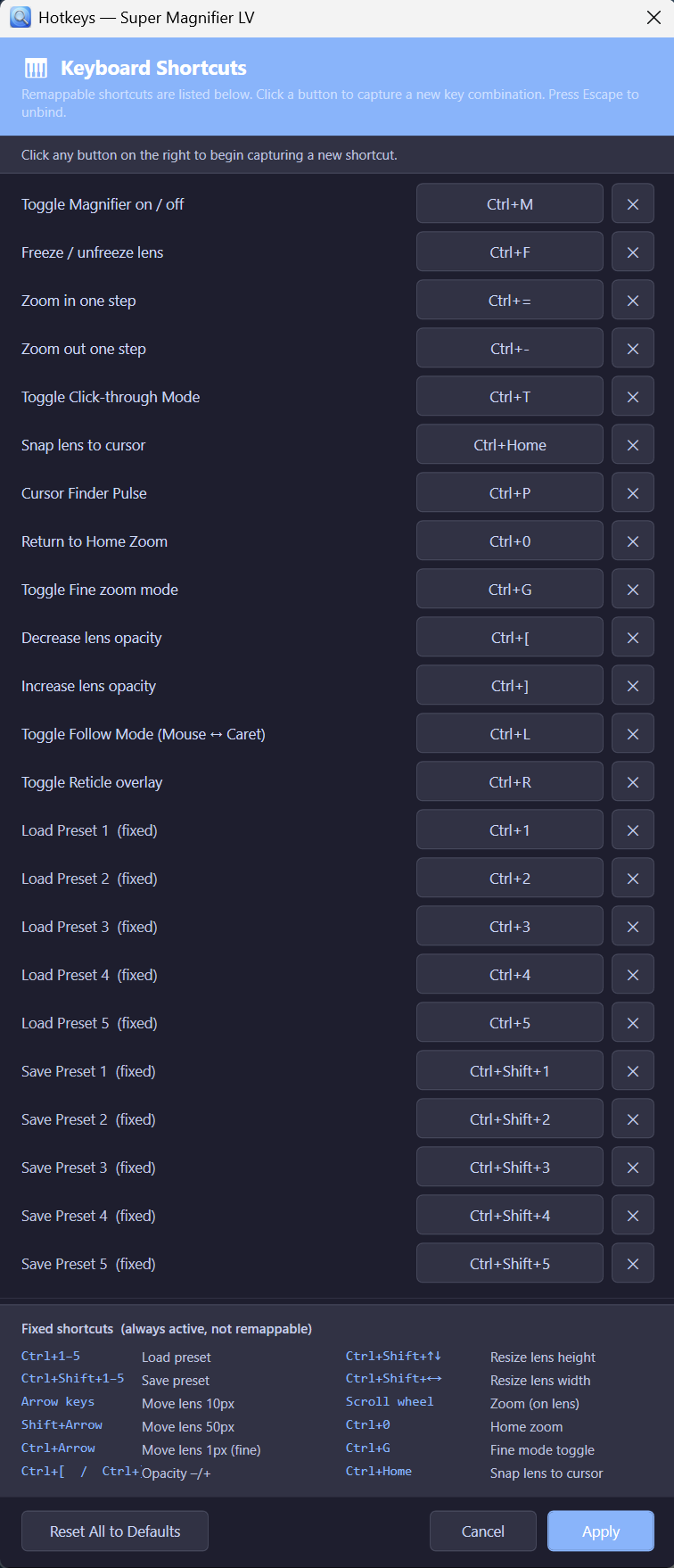
Hotkey Configuration
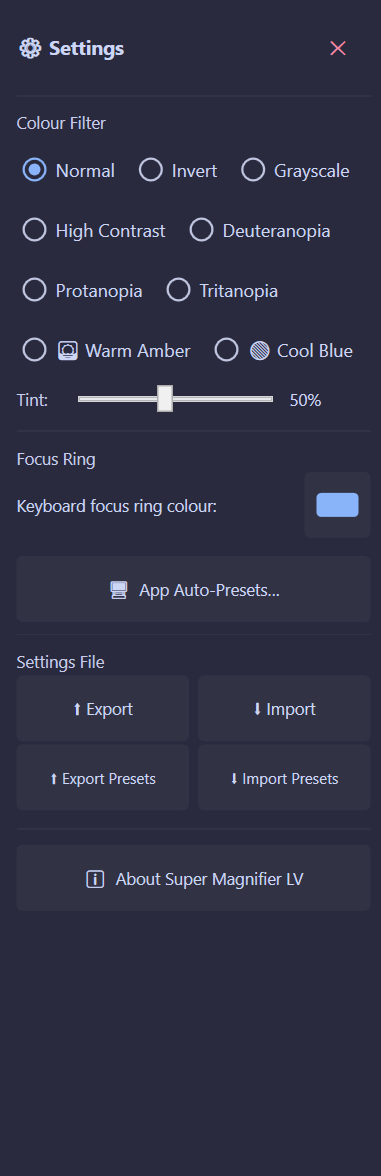
Colour Filters & More
Features
Everything you need, nothing you don't
1.25× to 20× zoom
Smooth or stepped zoom from fine reading to extreme magnification — configured to your needs.
Three follow modes
Follow your mouse cursor, text caret, or snap-to-word — switch instantly with a hotkey.
Flexible lens shapes
Rectangle, circle, or square lens — dock to any corner or drag anywhere on screen.
Colour filters
Normal, Invert, Grayscale, High Contrast, Deuteranopia, Protanopia, Tritanopia, Warm Amber, Cool Blue.
5 lens presets
Save and recall configurations instantly — load or save any preset with a single hotkey.
Full hotkey control
Every action remappable. Toggle on/off, freeze, zoom in/out, follow mode, reticle — all from the keyboard.
Reading ruler
An in-lens ruler to track lines of text — adjustable height and fully configurable colour.
Save snapshot
Capture the current lens view as an image with one click, directly from the Lens Controls panel.
Keyboard Shortcuts
Key shortcuts at a glance
Toggle magnifier on/offCtrl+M
Freeze / unfreeze lensCtrl+F
Zoom in one stepCtrl+=
Zoom out one stepCtrl+−
Toggle follow modeCtrl+L
Return to home zoomCtrl+0
Snap lens to cursorCtrl+Home
Toggle reticle overlayCtrl+R
Cursor finder pulseCtrl+P
Toggle click-through modeCtrl+T
All shortcuts are remappable in the Hotkeys panel.
Free & Open Source
Download SuperMagnifier LV
Free forever. No account. No installer required.